Add the product identity
Choose Add product from the Products workspace. Start with the identifiers and descriptive fields that help your team and audiences recognize the product.
- Enter the 14-digit GTIN, including its check digit.
- Add the product and brand names used on packaging.
- Complete relevant NDC, strength, dosage form, package, market, and language fields.
- Save the product to open its editable experience.
Add useful destinations
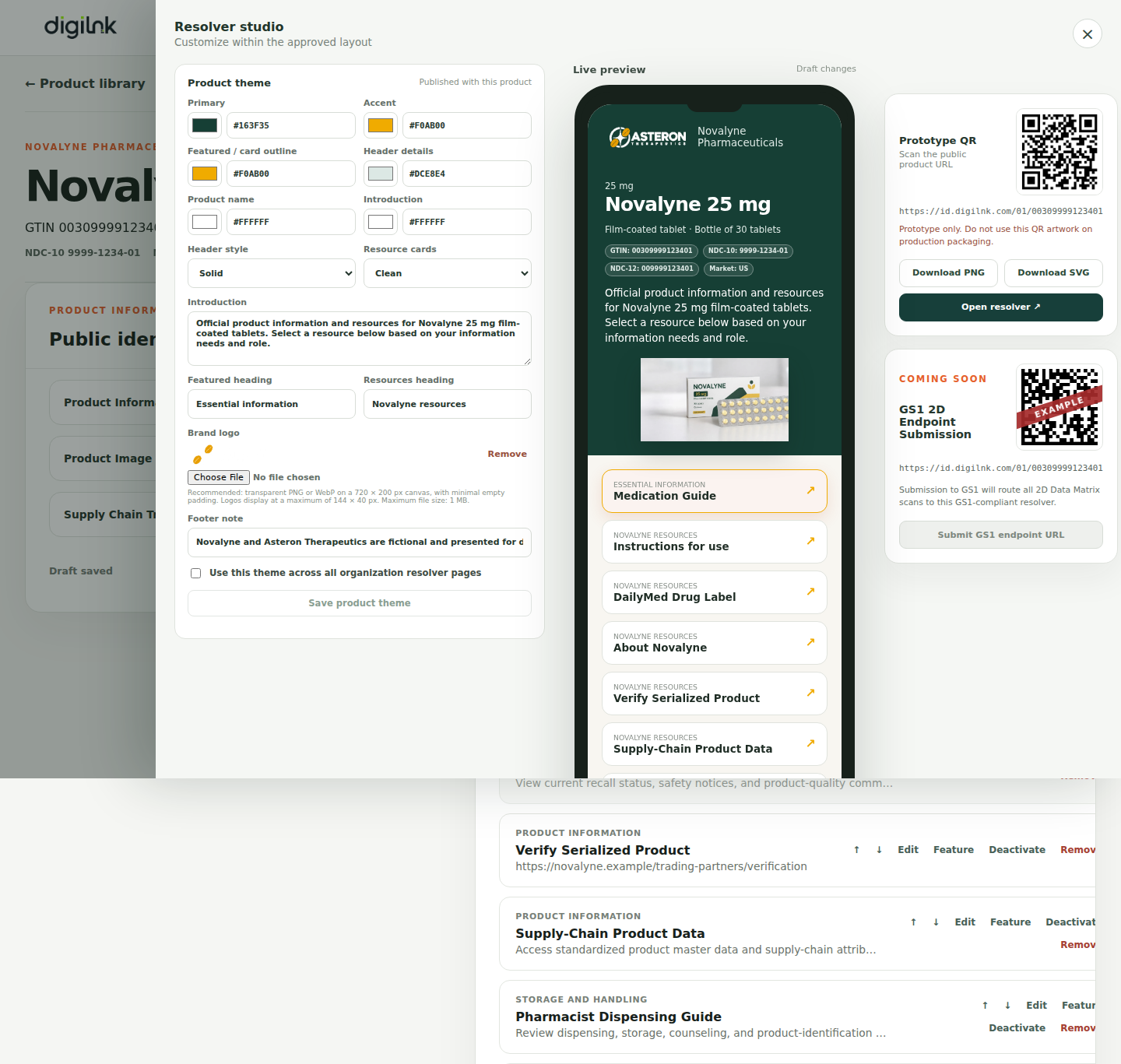
Destinations are the resources presented after a scan. Give each one a clear title, category, GS1 link type, audience, and destination URL. Feature the resource most people should see first.
- Lead with essential information such as a medication guide or instructions for use.
- Use categories to make longer resource lists easy to scan.
- Apply audience controls only when content genuinely requires restricted access.
- Reorder destinations to reflect user priority rather than internal ownership.
Preview the scan experience
The mobile preview reflects product content, branding, notices, and resource order. Review it as a patient, healthcare professional, or trading partner would, on a small screen and with a clear task in mind.