Set search appearance
Open the resolver’s Discovery settings. Product and company resolvers have independent settings, saved and published with their content.
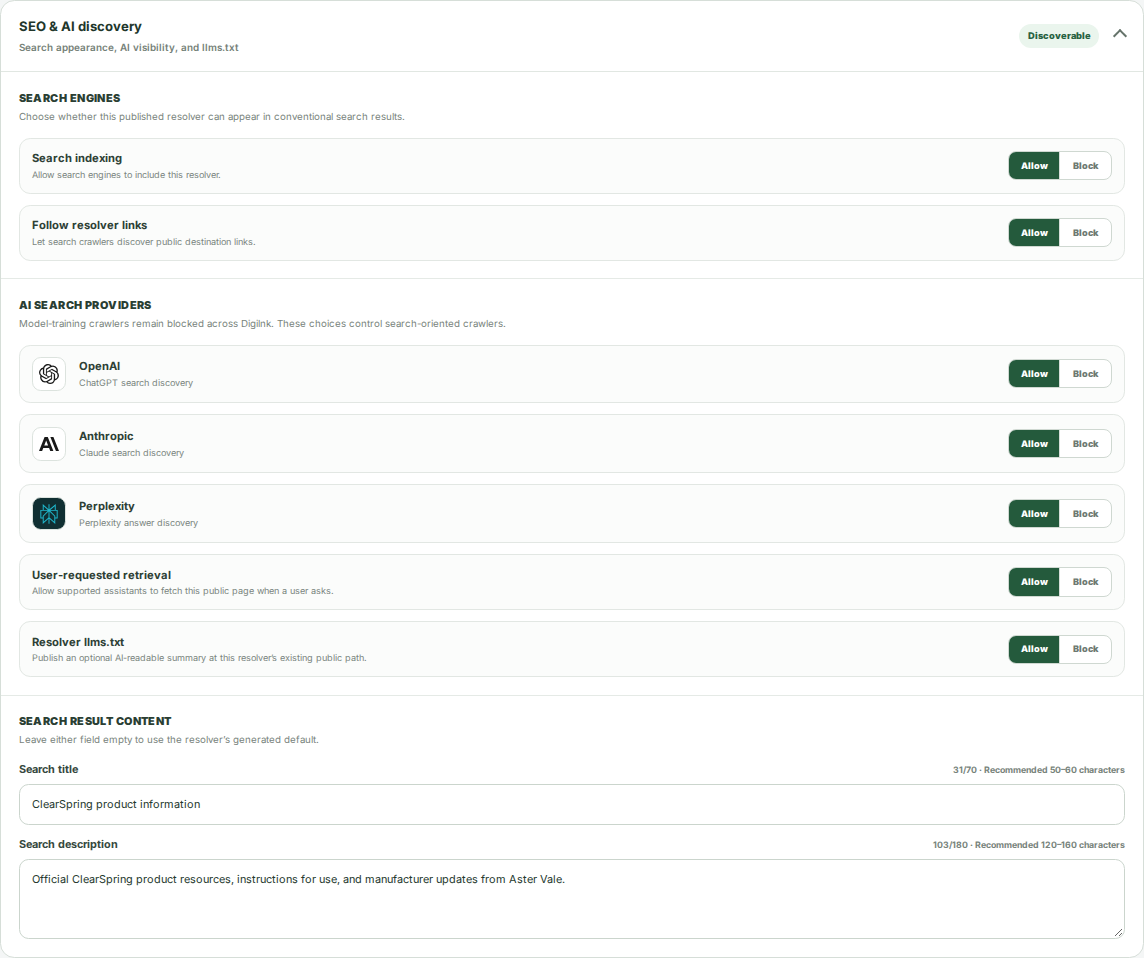
- Choose whether search engines may index the resolver.
- Choose whether search crawlers should follow public destination links.
- Enter a search title and description, or use defaults derived from product content.
- Review the preview and publish the settings through the normal workflow.
Choose AI discovery guidance
Configure supported AI search providers independently from user-requested retrieval. You can also publish an optional llms.txt summary at the resolver’s existing public path.
- Review the Allow or Block setting for each supported provider.
- Choose whether supported assistants may retrieve the public page when a user asks.
- Enable the resolver summary if you want an AI-readable description of its public content.
- Save and publish the changes.
Review product activity
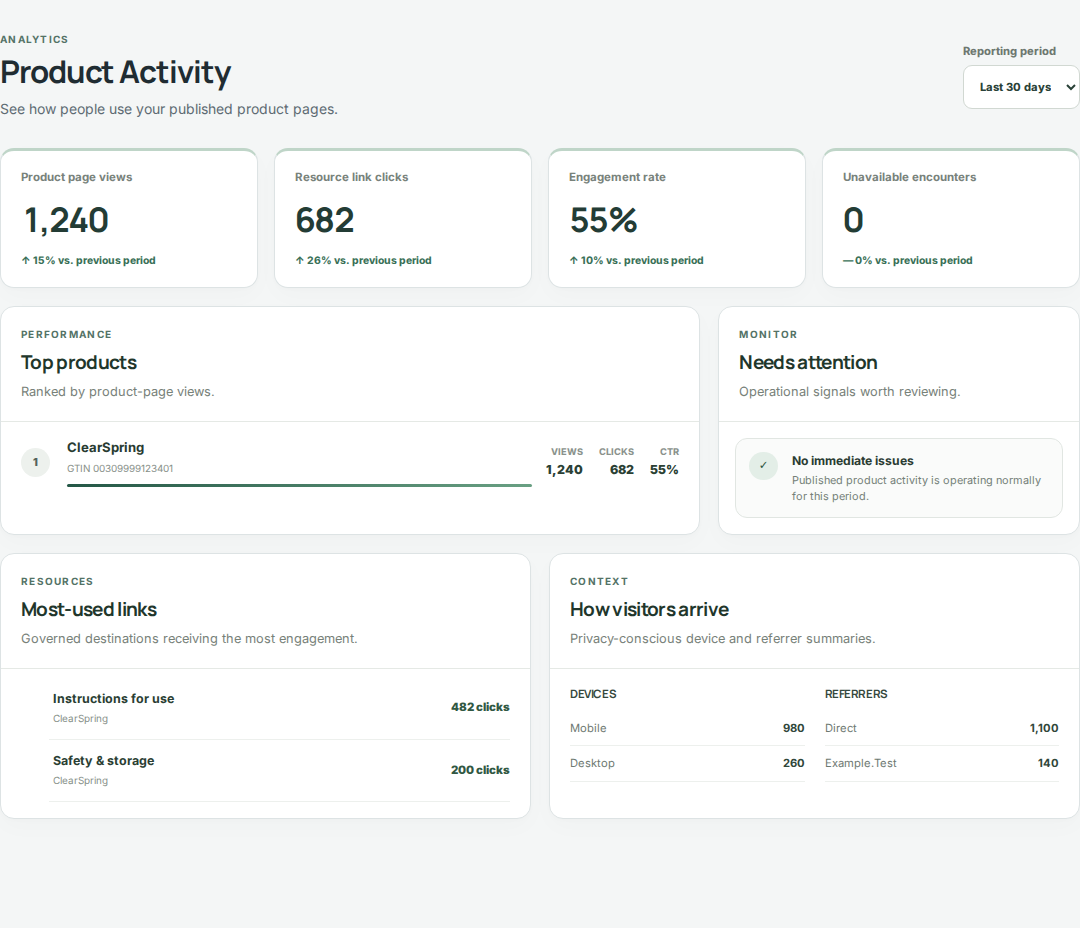
Open Analytics to view Product Activity. Use the available date range to compare resolver views, destination clicks, and resource engagement.
- Select the date range relevant to your update or campaign.
- Review Top products and Most-used links to see which experiences and resources receive attention.
- Inspect Needs attention and the device and referrer summaries for follow-up opportunities.
- Use what you learn to prepare a content change, then preview and publish it normally.