Product experiences

Build product pages and a company library

Give each product a branded home, then bring selected published products together in your company resolver.

7 min read
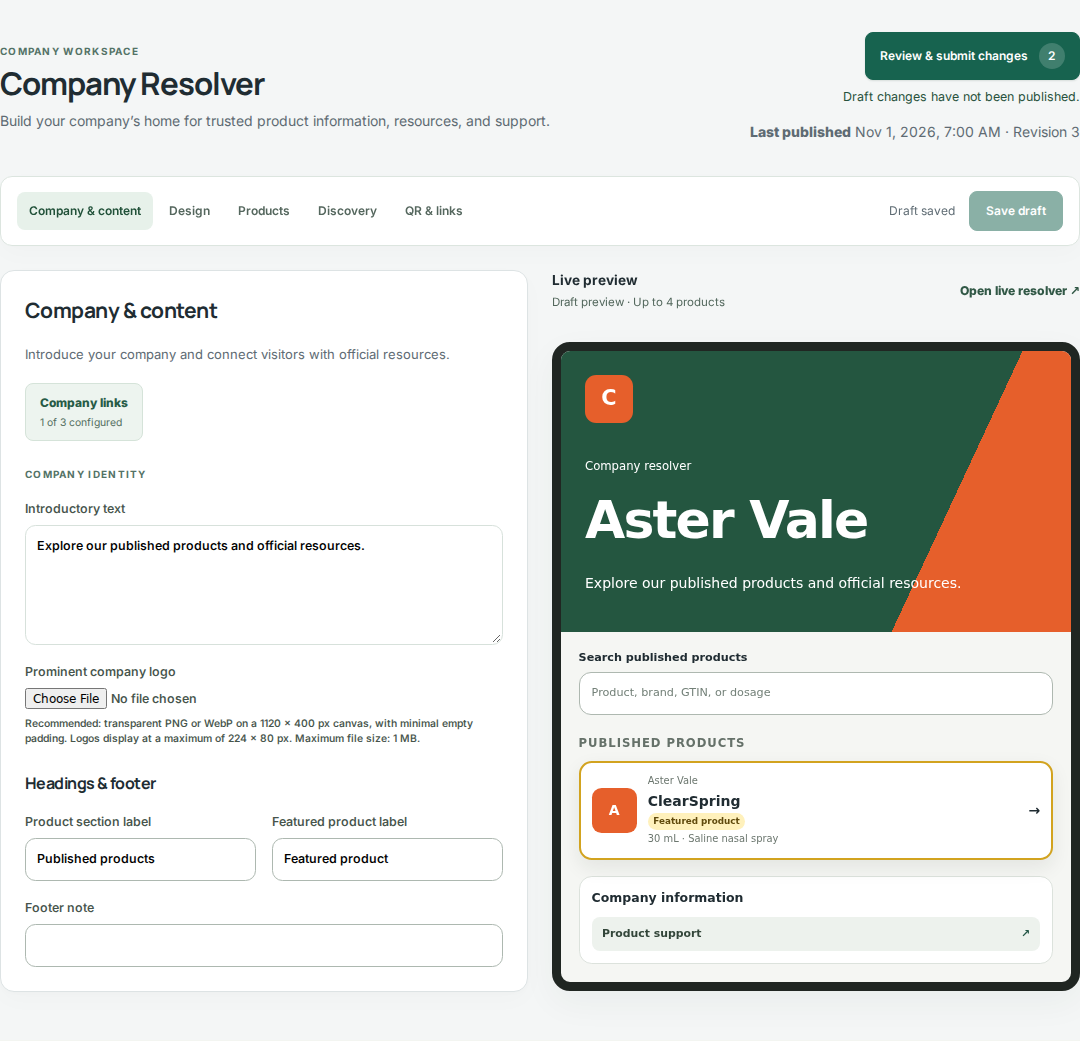
Digilnk Company Resolver showing company content controls and the live company-library preview.
Company Resolver: Company & content and the live preview, using fictional Aster Vale data.

Prepare your product experiences

Start with the products you want visitors to discover. Each product keeps its own identity, resources, branding, and publication history.

  1. Create or open a product in Products and check its GTIN and descriptive information.
  2. Add clearly labeled destination links and choose which resource to feature.
  3. Use the presentation controls to set the logo, colors, header, and resource card style.
  4. Save, preview, and publish the product through your workspace’s publishing process.

Set up the company resolver

Open Company Resolver to create a public home for your portfolio. Its design is independent of individual product pages.

  1. In Company & content, set the public address, introduction, and official company links.
  2. In Design, choose company branding and check text contrast in the preview.
  3. In Products, select products for the library, choose featured products, and set the sorting.
  4. Use Discovery to configure search appearance and crawler guidance for the company page.
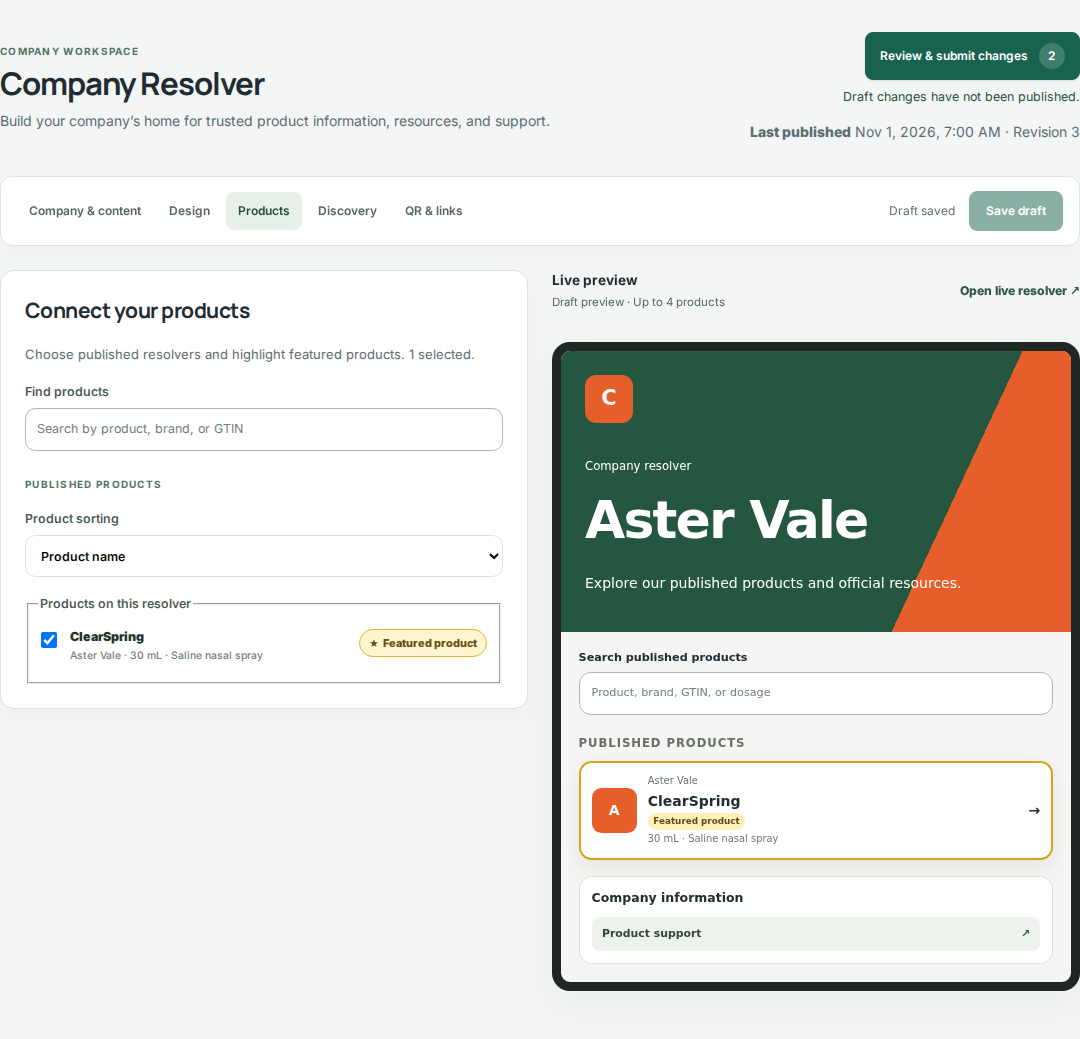
Digilnk company product selection controls and company-library preview.
Company Resolver → Products: select which published products appear in the company library. Select the image to view it full size.

Publish and share the library

Save the company draft and preview the result. Standard workspaces can publish directly; workspaces with change reviews submit the company update for a Publisher to review and release.

  1. Check the product selection, links, and layout before release.
  2. After publishing, open the company URL and confirm the expected products are visible.
  3. Use QR & links to copy the company address or download its QR code.
Next guide

Target content by lot and serial

Continue →