Import your identifier register
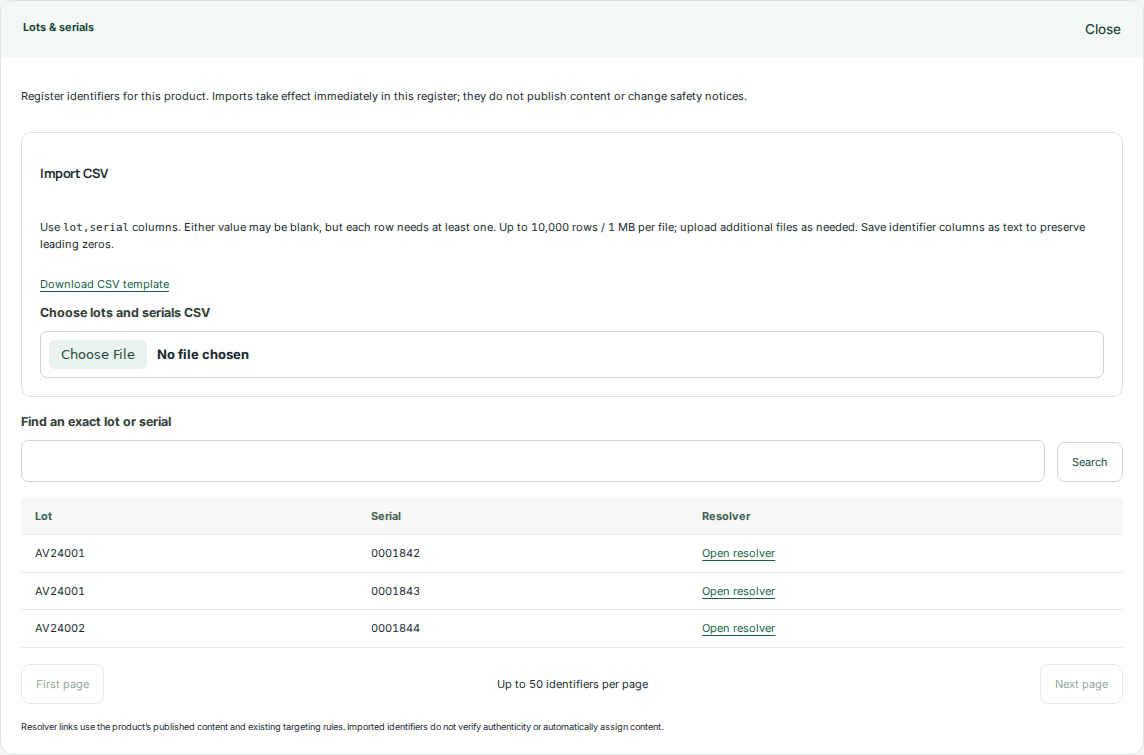
Open a product and expand Lots & serials. The register belongs to that product and helps you select package identifiers consistently.
- Download the CSV template or prepare a UTF-8 CSV with lot, serial, or both column headers.
- Keep spreadsheet cells formatted as text to preserve leading zeros. Each row needs a lot or serial.
- Import the file and review added and skipped counts. Each file supports up to 10,000 rows and 1 MiB.
- Search the register to confirm representative records before using them in targeting.
Choose where content applies
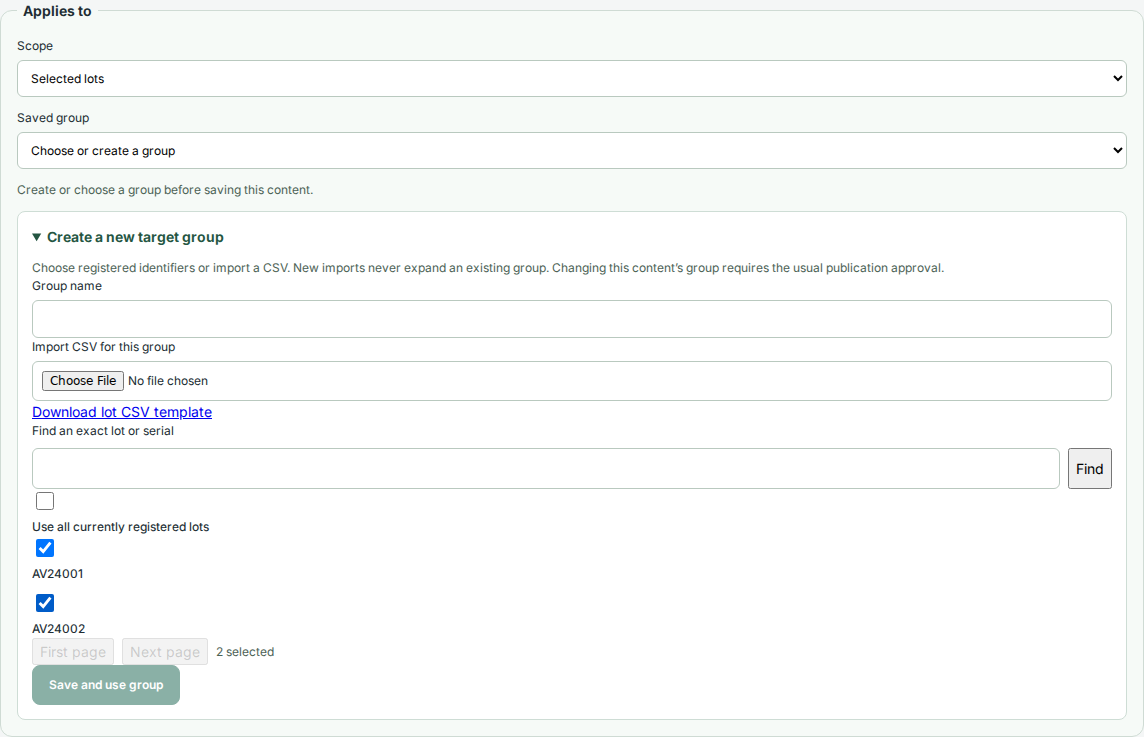
Open the destination link, recall notice, or expiration notice you want to target. Use Applies to to select lots or serials.
- Choose Selected lots or Selected serials.
- Select registered identifiers, reuse a saved group, or import a CSV from the targeting control.
- Save the selection as a named group and confirm its member count.
- Save the link or notice, then review the complete product draft.
Check matching and nonmatching contexts
Preview content with representative lot and serial values. General product resources remain available; matching targeted resources supplement them.
- Check a matching identifier, a nonmatching identifier, and a preview with no package context.
- Confirm that notice wording identifies the manufacturer or issuing authority and describes applicability accurately.
- Submit or publish the saved content through the normal workflow.